Using the App
Payment Calculator Guide
The payment calculator helps you show customers what their monthly payments might look like before they even apply.
How to Use It
1
Open the Calculator
Tap the “Calculator” tab at the bottom of the app.
2
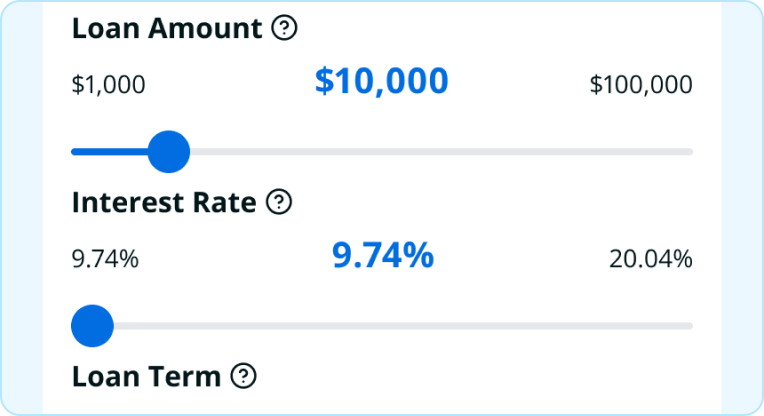
Enter the Project Amount
Type in the total cost of the project you’re quoting.
3
Adjust the Term
Use the slider to select loan length (typically 12, 24, 36, 48, or 60 months).
4
See Estimated Payments
The calculator shows approximate monthly payments at different interest rates.
When to Use It
During the quote / estimate
“This kitchen remodel is $28,000. With financing, your monthly payment could be around $500–600 depending on your rate. Would you like to see if you qualify?”
When price is a concern
Customer says the price is too high? Show them how financing breaks it into manageable monthly payments.
To compare options
Show a customer the payment difference between a $15,000 project and a $22,000 project with upgraded materials.
Important Notes
These are estimates only
Actual rates depend on the customer’s credit and the lender’s approval.
Don’t promise a specific rate
Always say “could be” or “approximately” when discussing payments.
Show the range
Display both low and high payment estimates so customers know what to expect.
Sample Script
“Let me show you something. For a $25,000 roof replacement, with a 5-year loan, you’re looking at roughly $450–550 per month depending on your interest rate. The actual payment will depend on your credit, but that gives you a ballpark. Want to apply and see what you qualify for?”
Your financial journey matters to us. We’re always just a message away. 🌱